Shorten daily shop checks, data reading, campaign filtering and operating report preparation.
... users operating with STONK
V56 · GMV AI + Data AI · Fast sync
STONK AI GMVSimpler TikTok Shop operations with AI.
Official TikTok Shop Vietnam Partner
Built by Stonk Agency - an official partner of TikTok Shop Vietnam.
View Stonk Agency on TikTok Shop
One unified system for shop operations and business analysis: multi-shop monitoring, Ads, LIVE, reports, fast Data AI sync and faster AI-assisted decisions.
1 month free
Setup guide
-2hSave time on daily operationsShorten shop checks, campaign filtering and report prep.
LiveAI live-session operationsPin products, Flash Sale, Giveaway and Live Ads optimization.
35%Save up to 35% Ads costFind weak campaigns, budget drift and inefficient videos.
25%Grow revenue up to 25%Focus resources on shops, products and content with strong signals.
24/7Receive alerts anywhereTrack revenue, budget, Ads and signals that need action.
Multi-shopCentralized view in one workspace
AdsScan, edit and create campaigns faster
ContentAds videos, no-logo downloads and cart checks
LiveAI live operations, Flash Sale, Giveaway
GMV + Data AIFast sync, profit insight and planning
GMV Command DeckPro V56
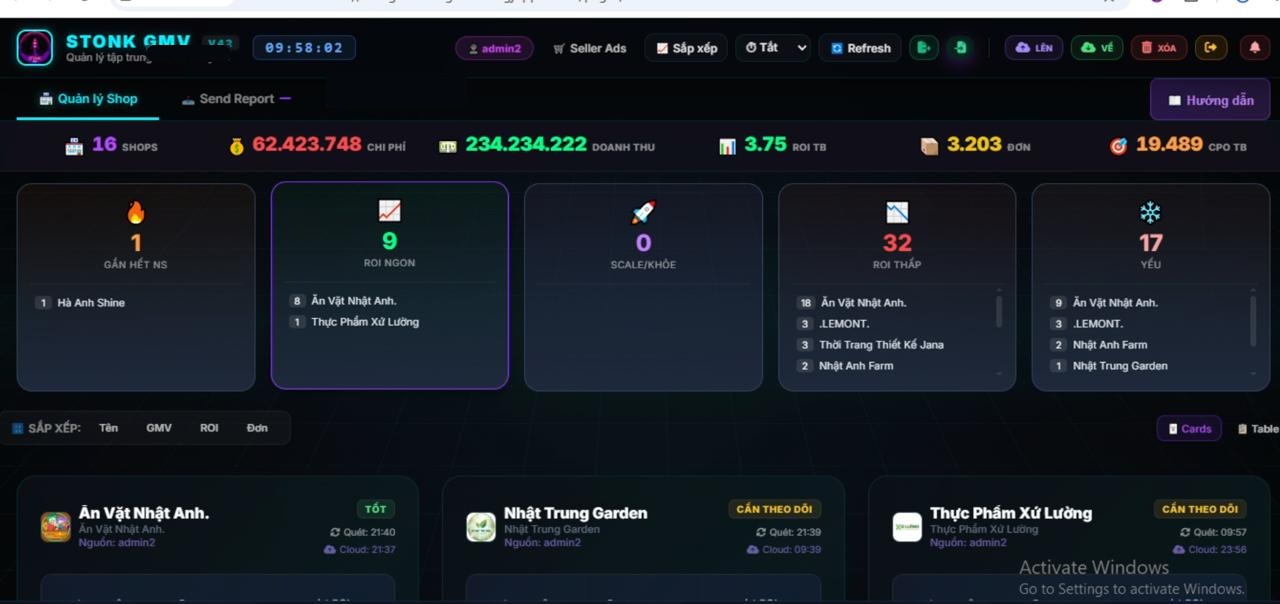
Multi-shop dashboardTrack revenue, cost, ROI, orders and shop status in one place.
Highlights
Reduce manual work, control cost and move faster with clearer decisions.
STONK AI GMV turns fragmented operating data into concrete actions: fewer repetitive tasks, clearer cost control, better profit visibility and faster adaptation when the market changes.
Support critical LIVE actions: pin products, follow scripts, Flash Sale, Giveaway, monitor signals and optimize Live Ads.
Find weak campaigns, budget drift, underperforming videos and optimization points to reduce wasted ad spend.
Focus resources on shops, products, KOCs, videos and campaigns that show the strongest growth signals.
Read creator, video and KOC order performance to decide where to continue, cut or reallocate booking budget.
Get alerts for revenue, budget, Ads performance, reports and operating signals so the team does not miss important moments.
Bring orders, Ads, KOC, platform fees, received cash and pending cash into one view so the team can see reality, build the right plan and adjust quickly.
Latest release
STONK AI GMV V56 unifies GMV AI and Data AI in one operating flow.
Server provides the latest v56.7.34 manual-install build; Chrome Store remains the stable channel, but features may be older because Chrome review is slower.
Operate GMV and analyze business data without switching workflows.
GMV AI data can move quickly into Data AI for profit, Ads, KOC and cash-flow analysis. Supported flows no longer require operators to export and download each file manually.
Server carries the latest update. Chrome Store remains the stable auto-update channel, but it can lag behind while Chrome reviews new versions, so some features may still be older.
- Unified GMV AI and Data AIShop operations, Ads, LIVE, reports and business analysis now form one connected workflow.
- Fast data syncSupported datasets move directly into Data AI; Excel and ZIP remain available for reconciliation and supplemental imports.
- Complete multi-shop recapsRecaps use the live dashboard shop list and clearly report valid, missing and failed data.
- Durable sequential schedulingReport and recap jobs persist across service-worker interruptions and track each shop and channel separately.
- More reliable Ads balancesZero balances are valid, finance APIs retry when needed and missing account data is identified explicitly.
- Auditable task logsSee the latest task, scheduled slot, delay, successful shops, failed shops and reasons, with optional Telegram ops logs.
- Safe Stop and ResetRelease stale locks and loading states without deleting shops, schedules or channel configuration.
- Shared destinations stay independentTwo shops using the same Zalo or Telegram ID still keep separate jobs and messages.
- Continued LIVE and Auto Chat improvementsBetter active-session tracking, budget and ROI support, product pinning, Flash Sale and Giveaway workflows.
- Cleaner multi-shop operationsFewer repetitive actions, safer session handling and better long-running dashboard stability.
Guide video
Watch the full setup and operating workflow.
Jump to the exact chapter you need: setup, dashboard, Ads, Content, LIVE, promotions, reports and STONK AI DATA.
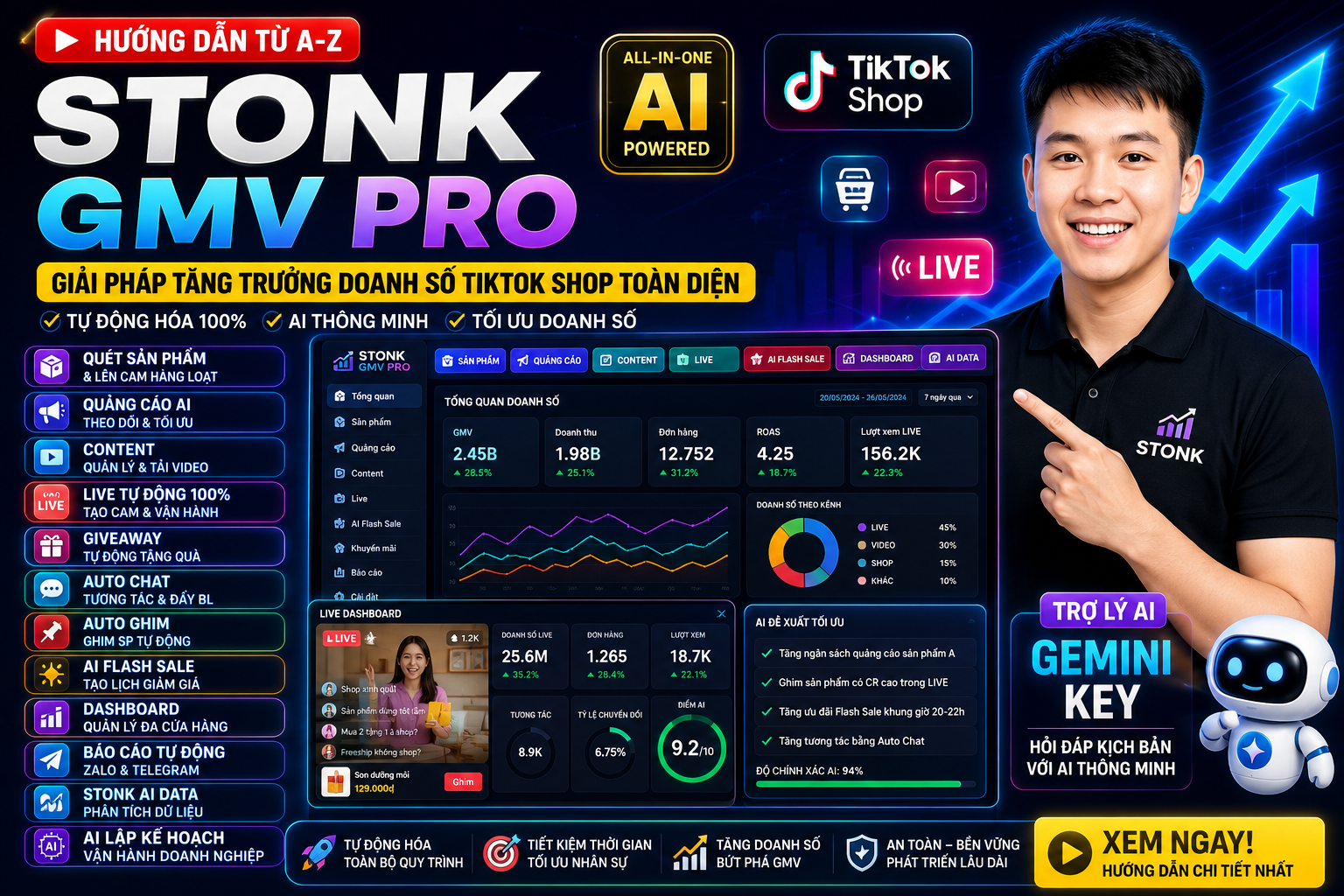
STONK AI GMV A-Z guide
A complete guide covering setup, Ads, Content, LIVE, AI Data and operating plans.
Operating center
One cockpit for the most important TikTok Shop workflows.
Core capabilities in one place: shop management, Ads, Content, video, LIVE, Auto Chat, promotions, reports, data analysis and AI support.
View revenue, cost, orders, ROI and shop status in one workspace so the team can prioritize the right actions.
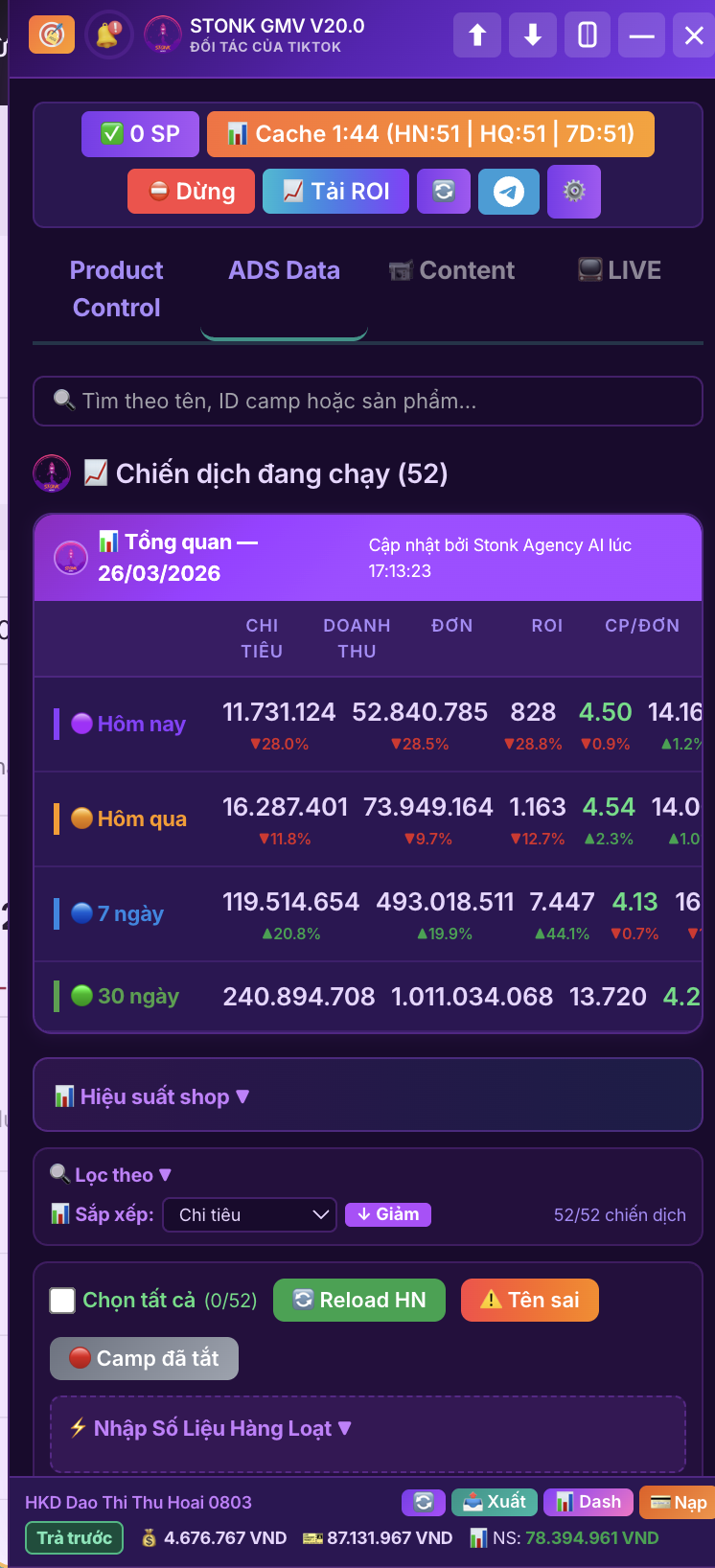
Filter weak or strong campaigns, edit budget and ROI, toggle campaigns and create new campaigns faster than manual workflows.
Manage videos running inside Ads campaigns and decide which content to keep, replace or optimize.
Download clean videos, inspect videos with shopping carts on desktop and quickly identify content that supports sales.
Track LIVE sessions, pin products, scripts, Flash Sale, Giveaway, Live Ads and signals that need attention while selling live.
Read LIVE comments, answer quickly from product data, shipping and return policies, then use AI for deeper consultation when needed.
Create, manage and cancel bulk promotions, then schedule repeating LIVE Flash Sale plans.
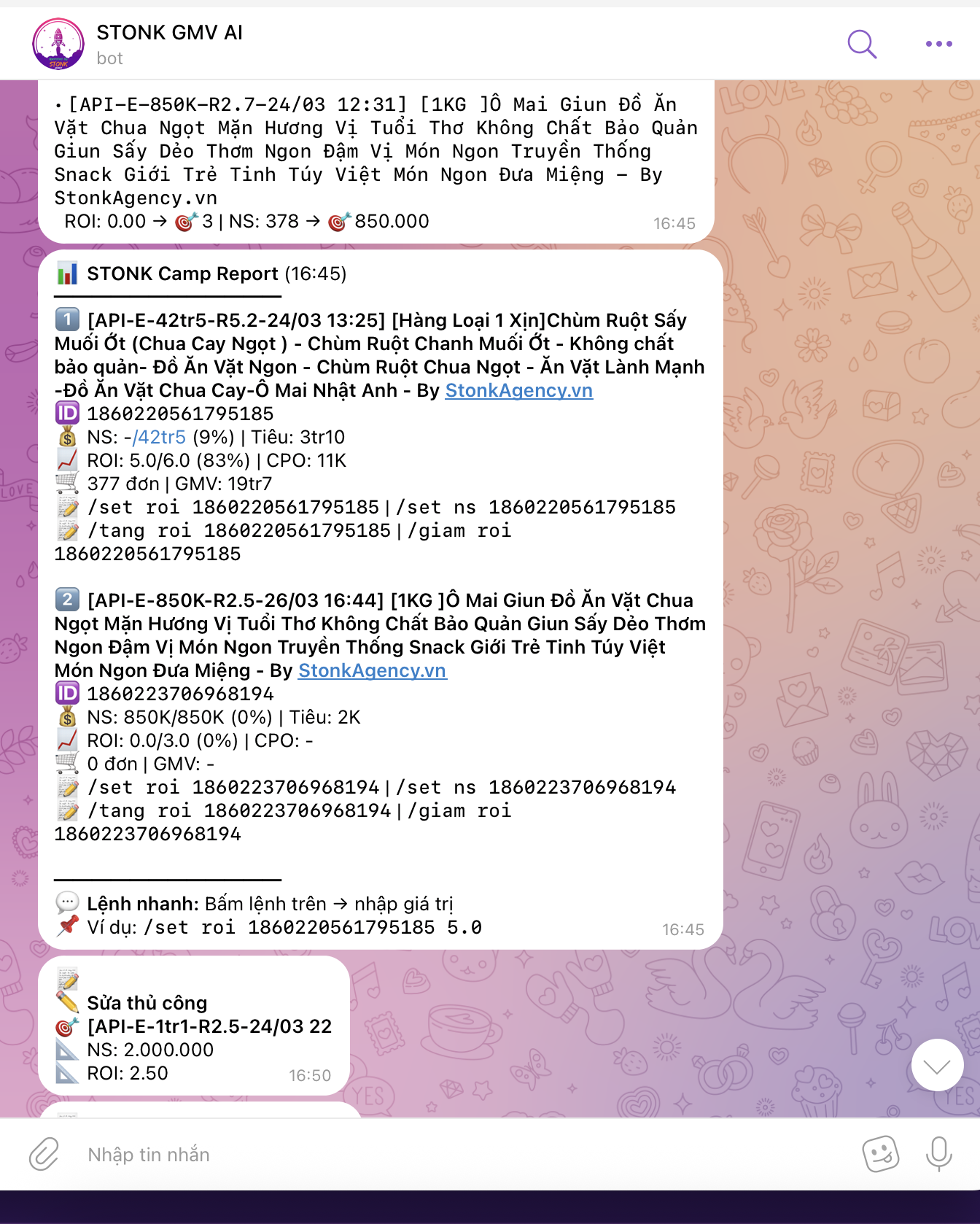
Configure Zalo, Telegram or Google Sheet by shop, inspect success and failure details, and reset stuck state without losing configuration.
GMV AI + Data AI
Sync GMV AI data quickly into Data AI without downloading every file in supported flows.
tool.stonkagency.vn connects to the GMV AI operating flow and consolidates orders, Ads, KOCs, received cash and pending cash. Excel and ZIP remain supported for historical reconciliation or supplemental data.
Direct sync from GMV AIPull supported datasets quickly without exporting and downloading each TikTok Shop file.
Files remain a fallbackUse Excel or ZIP for historical data, reconciliation or datasets that do not yet have direct sync.
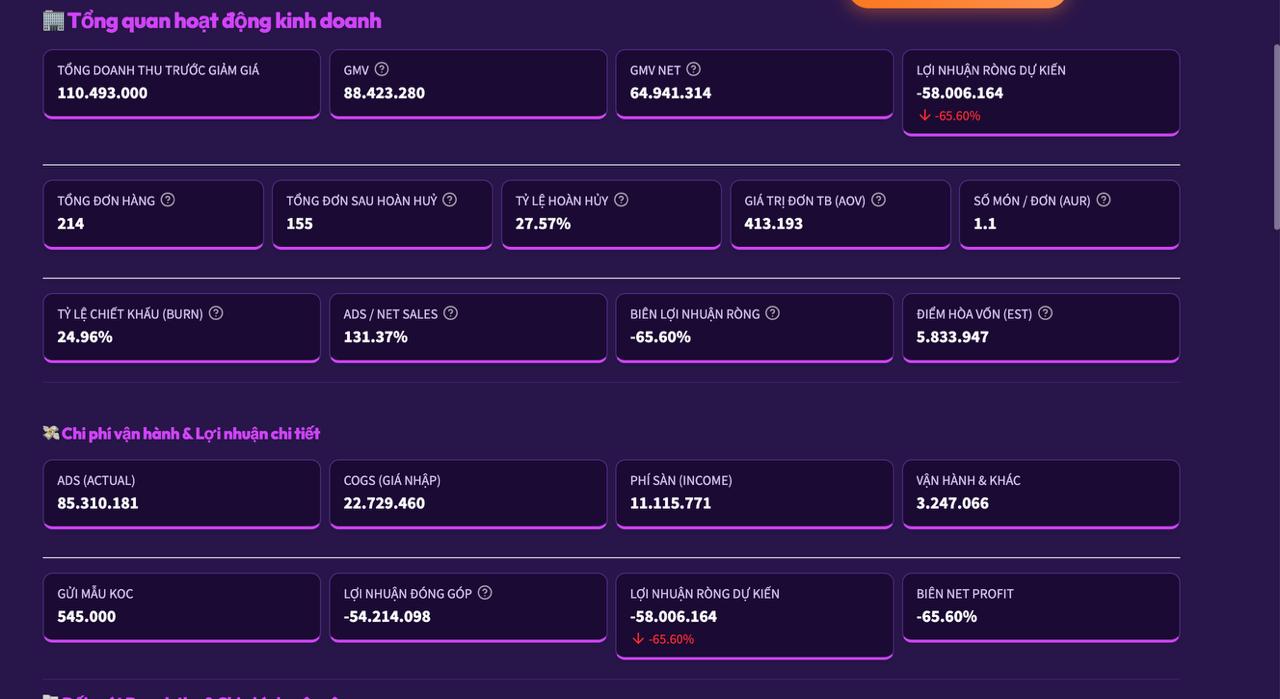
Understand profit quicklyTotal revenue, platform fees, Ads cost, cost of goods and projected profit.
AI operating plansSuggest 1-month, 3-month and 6-month optimization plans based on uploaded data.
Product screens
Key product screens before installation.
Preview dashboard, reports, finance reconciliation, Ads, AI and LIVE operations.
Multi-shop dashboard
See which shops are strong, weak, need attention or are close to budget limits.
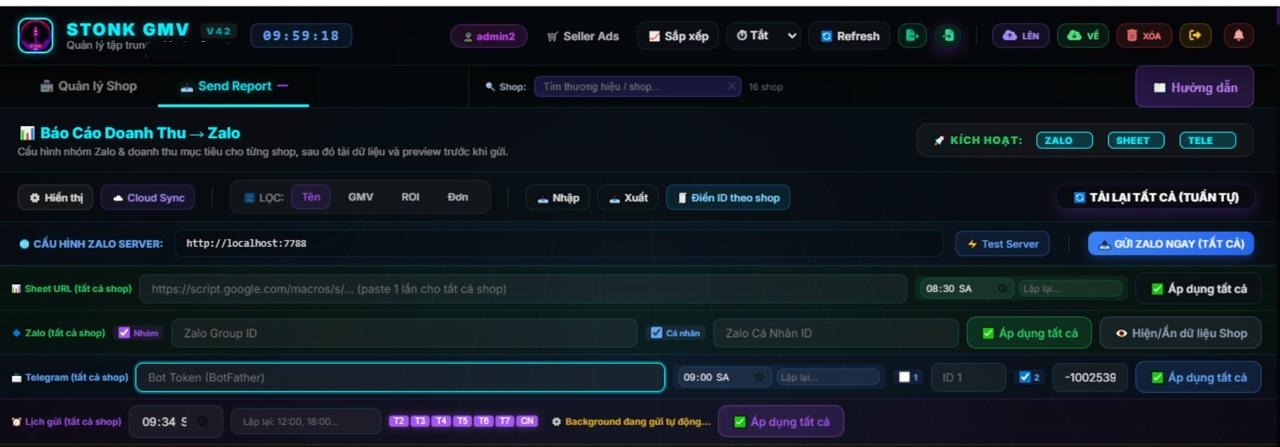
Automated reports
Send results through Zalo, Telegram or Google Sheet.
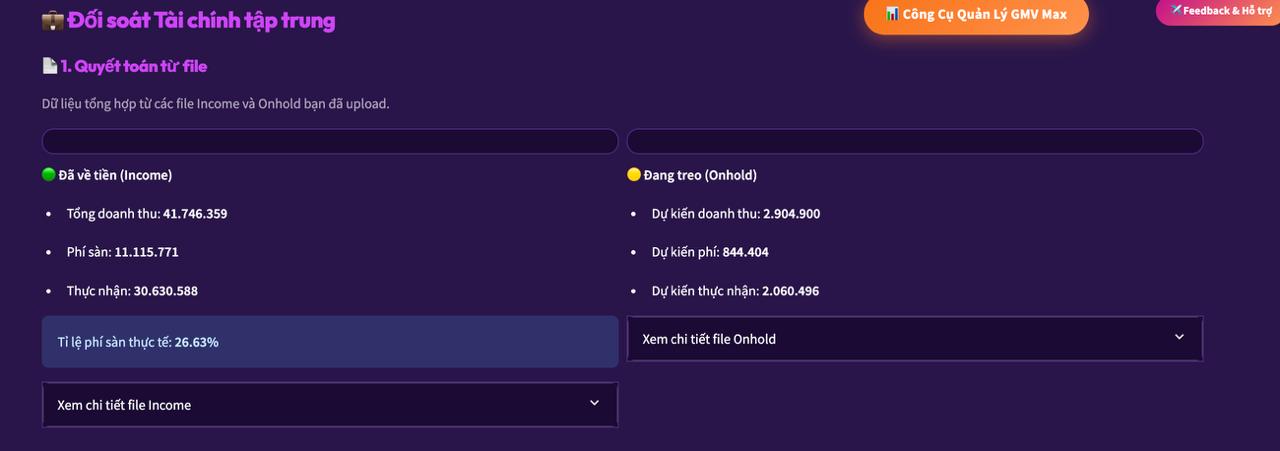
Finance reconciliation
Track received cash, pending cash, platform fees and cash flow.
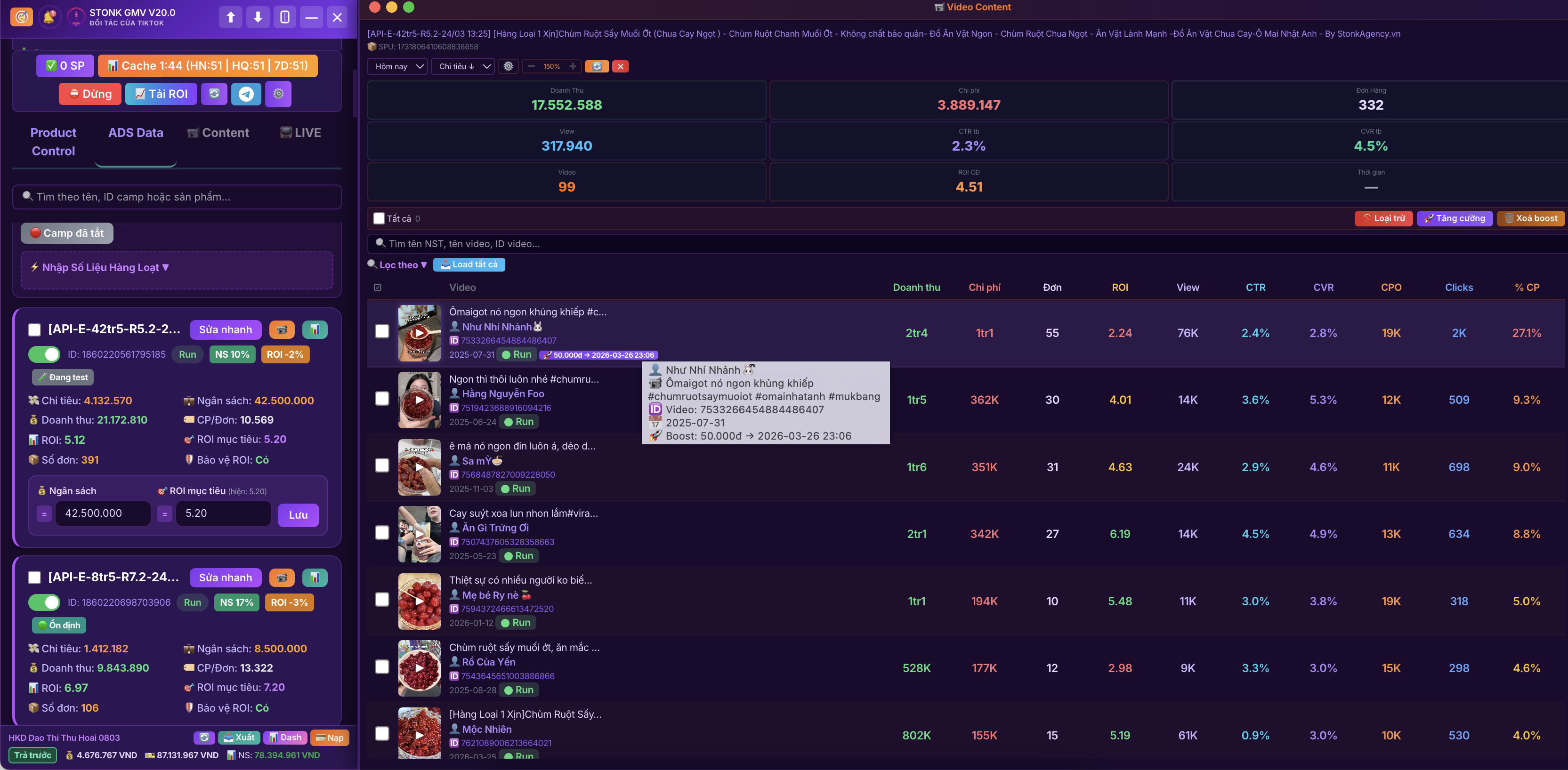
Content inside Ads
Manage running videos and make optimization decisions faster.
AI campaign adjustment
Support decisions based on budget and target ROI.
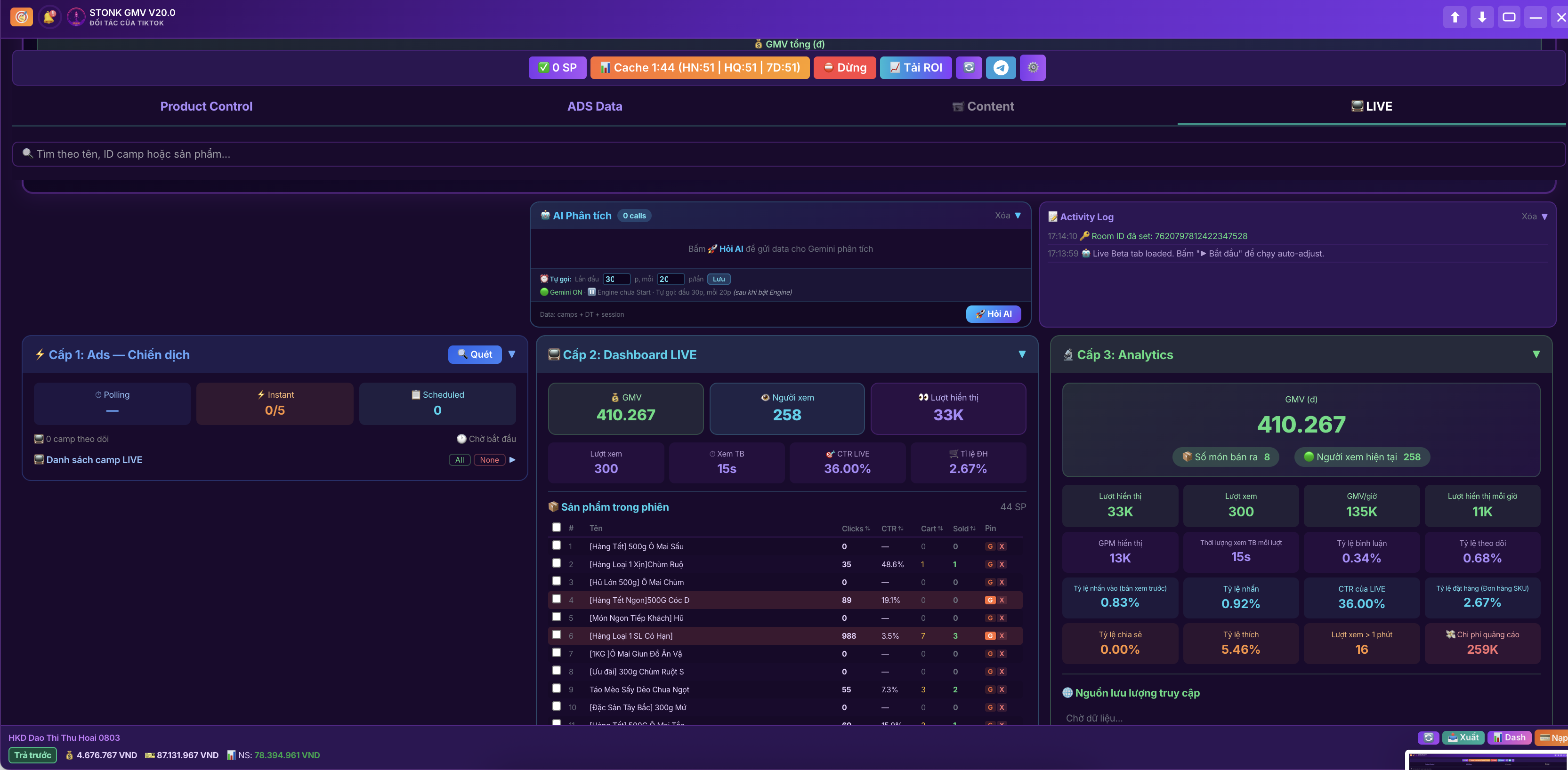
AI live operations
Track LIVE signals, Live Ads and alerts that need action.
Product pinning and giveaway
Support live selling workflows with faster operations.
Business overview
Read revenue, cost, breakeven point and projected profit.
Setup
Multi-platform support for Pro V56.
Choose Server download for the latest v56.7.34 build. Chrome Store is the stable auto-update channel, but features may lag because Chrome review takes longer.
macOSUse Chrome, Edge, Brave or Coc Coc. Server provides the latest v56.7.34 build; Chrome Store is stable but may have older features while Chrome review catches up.
WindowsUse a browser that supports Chrome Extensions for stable installation and operation.
iOS / iPadOSUse Orion Browser to install and run Chrome Extensions on Apple mobile devices.
AndroidUse Lemur Browser to run Chrome Extensions on Android phones and tablets.
1
Get accountContact STONK via Zalo or Telegram @toolstonkagency for an account and setup support.2
Choose platformmacOS/Windows use Chrome Extension browsers; iOS uses Orion; Android uses Lemur.3
Log in TikTokOpen Seller, Seller Ads, TikTok Shop or LIVE for the shop you need to operate.4
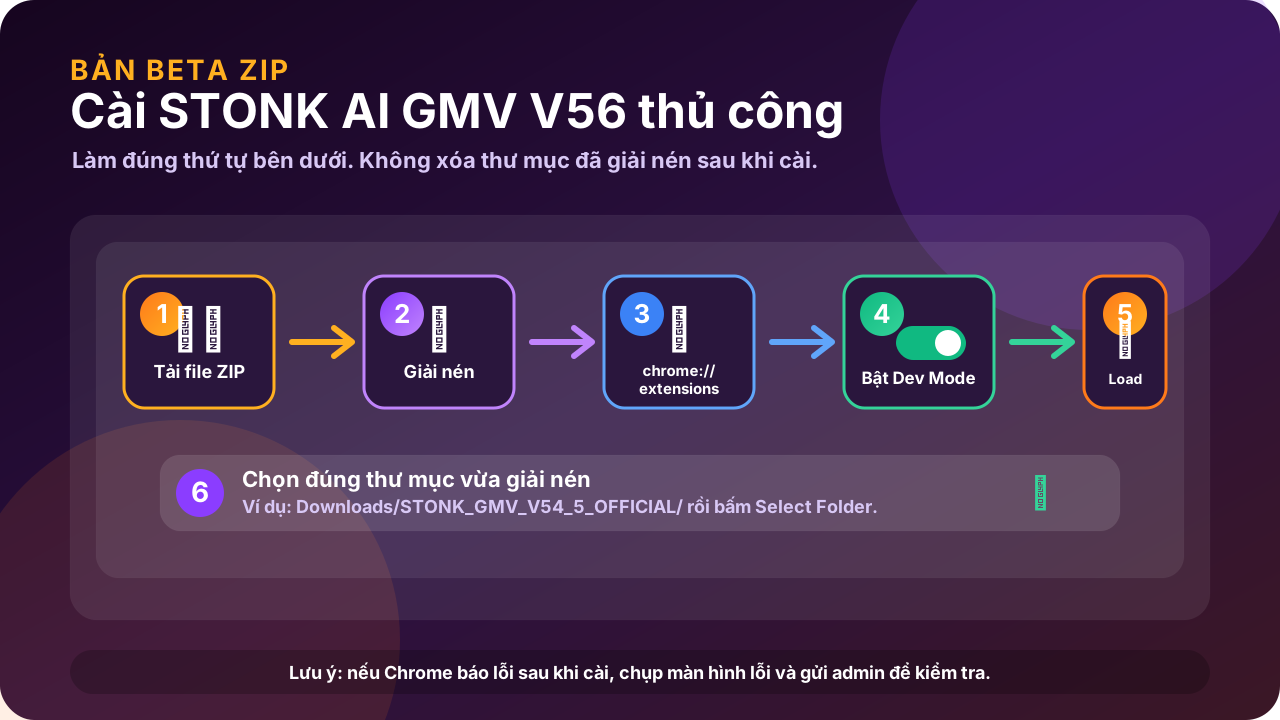
OperateRefresh metrics, edit or create campaigns, send reports and sync data quickly into Data AI.Install ZIP build on Mac/Windows
- Download the ZIP file from Server.
- Extract it into a fixed folder, for example
Downloads/STONK_GMV_V56. - Open
chrome://extensionsin Chrome, Edge, Brave or Coc Coc. - Enable
Developer mode, clickLoad unpackedand choose the extracted folder. - Do not delete or move the extracted folder after installation.
Quick setup visual